
Faster Sales Everyday
A simple point-of-sale app for shops and counters. Ring up sales, track inventory, manage shifts, and print reports from one screen.
Available for Windows and macOS
Everything your store needs
No subscriptions to sell. No clutter to learn. Just the essentials, done well.
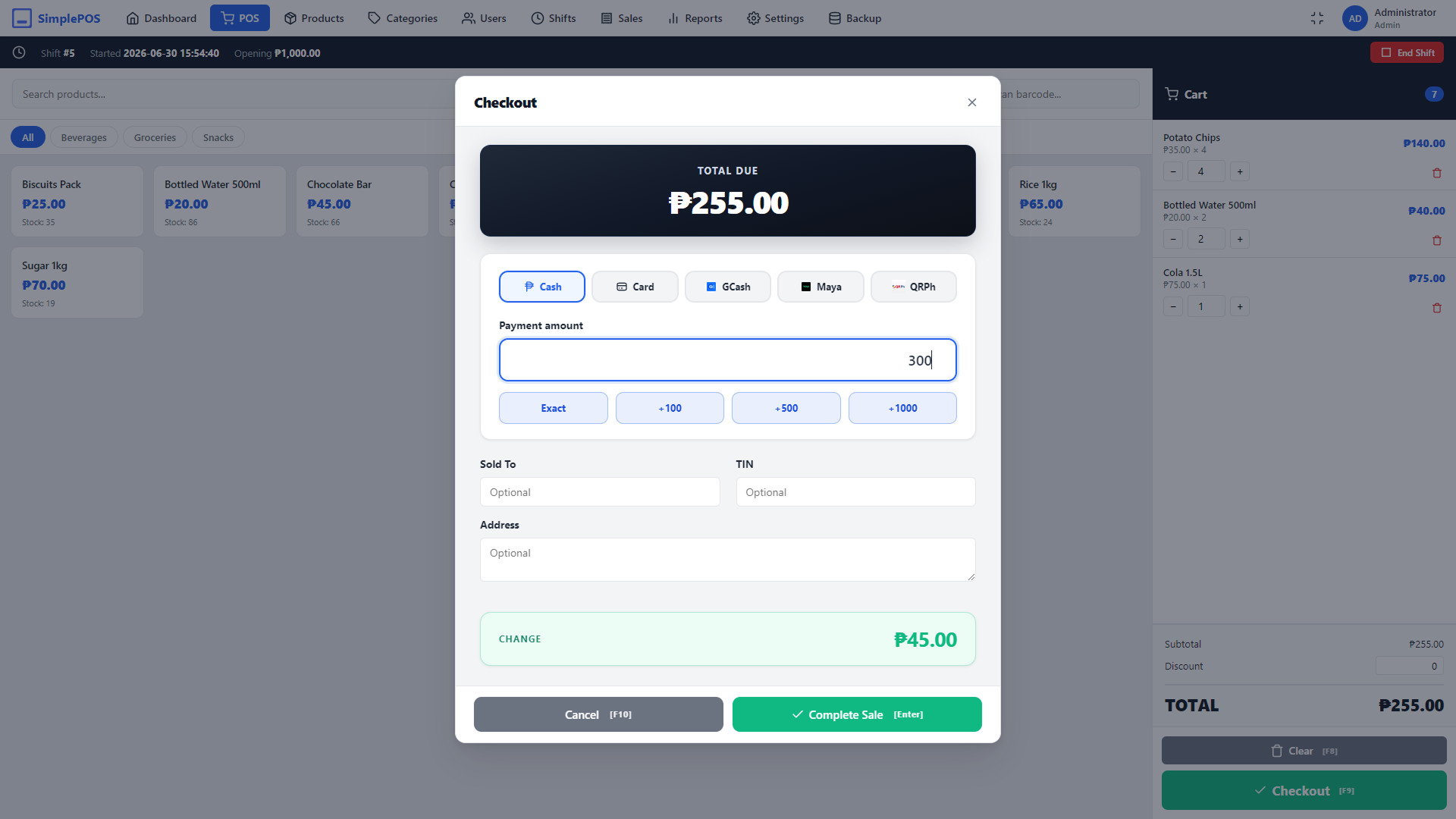
Fast checkout
Add items by tap or barcode scan, take payment, and print a receipt in just a few seconds.
Inventory & products
Track stock, costs, prices, SKUs, barcodes, and get low-stock alerts. Organize with categories.
Many payment types
Accept cash, card, GCash, Maya, and QRPH. Automatic change calculation on every sale.
Shifts & cash drawer
Open and close shifts with opening and closing cash, and reconcile the drawer at end of day.
BIR-style reports
Sequential, immutable invoice numbers, X & Z readings, VAT breakdowns, and a full audit trail.
Receipt printing
Print receipts quickly and reliably on thermal ESC/POS printers, with optional cash-drawer kick.
Users & roles
Give cashiers limited access and keep admin tools — settings, reports, users — for owners.
Single or multi-terminal
Run one register, or connect several terminals over your LAN to one central database.
Works offline
Your data lives on your own machine in a local database. Back up and restore in one click.
Works with cash and card payments
Record cash and card payments from your payment terminal.








Up and running in minutes
Download to your first sale — no technical know-how required.
-
Install
Download and open SimplePOS on Windows or Mac. Everything runs locally — no internet required.
-
Set up
Add your store details, products, and staff. A short guided setup walks you through each step.
-
Start selling
Open a shift and ring up your first sale. Reports and invoice numbers build automatically from there.